Download a copy of the receipt as a PDF
This guide shows you how to download a copy of your receipt as a PDF
Step by Step
1. Log in to the Ancon Cloud Backoffice.
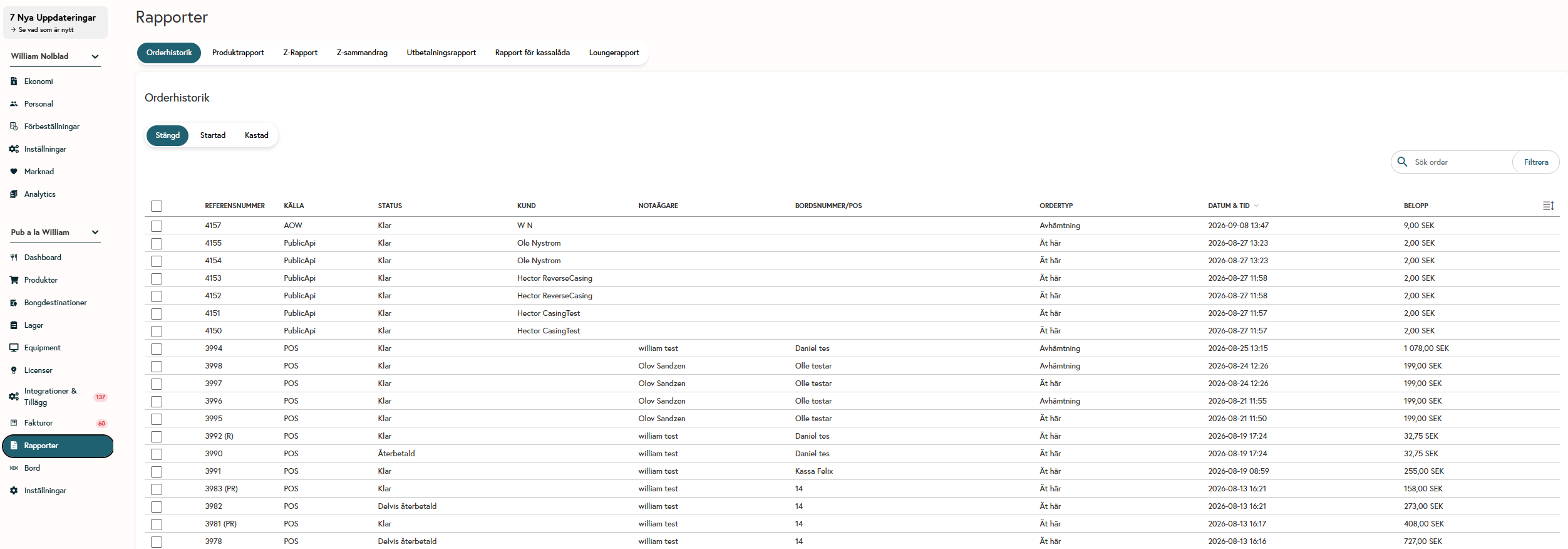
2. Go to Reports.
3. Select Order History.
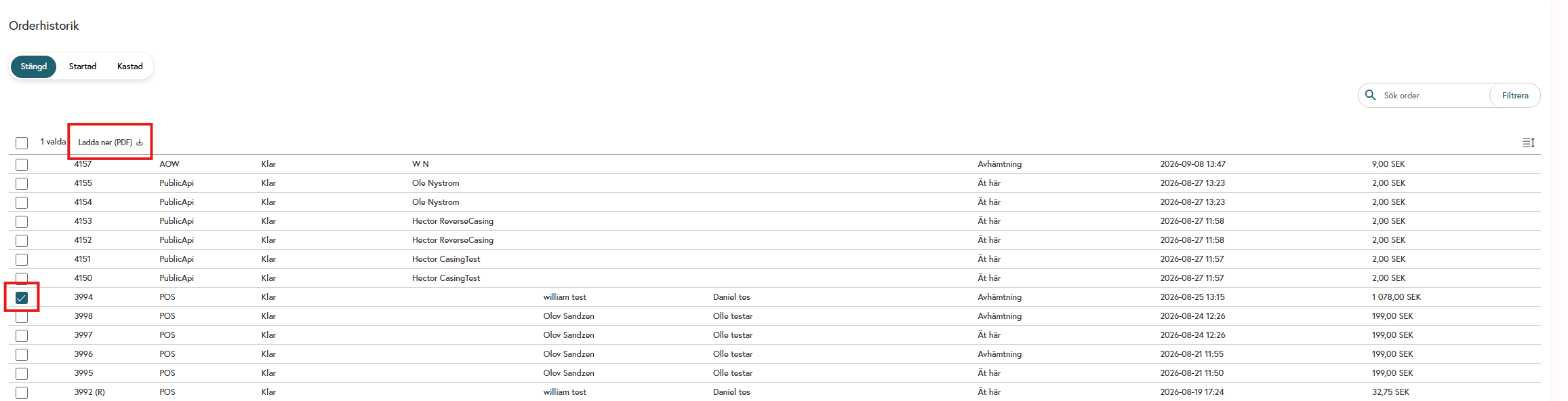
Then select the order you want to download and click “Download PDF”
Was this helpful?
Still need help? Share an idea