Print or send copy of receipt from POS
This guide shows you how to easily print a copy of a previous receipt, either directly to the receipt printer or by email.
Navigate to the Previous Orders view in the POS.
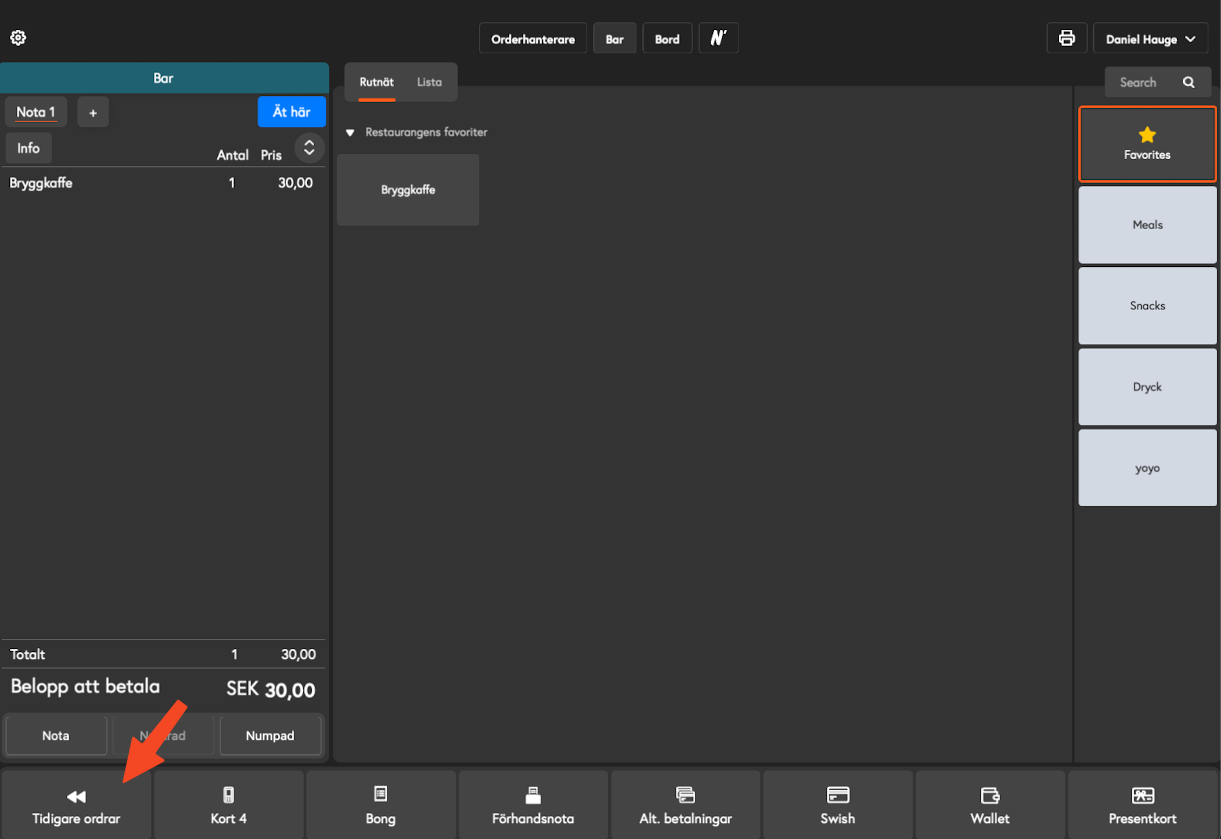
Find and select the receipt you want to print a copy of. You can use the search function to filter by date or reference number.
Once the invoice is selected, look at the panel on the right. There you will find the heading Receipt Copy.
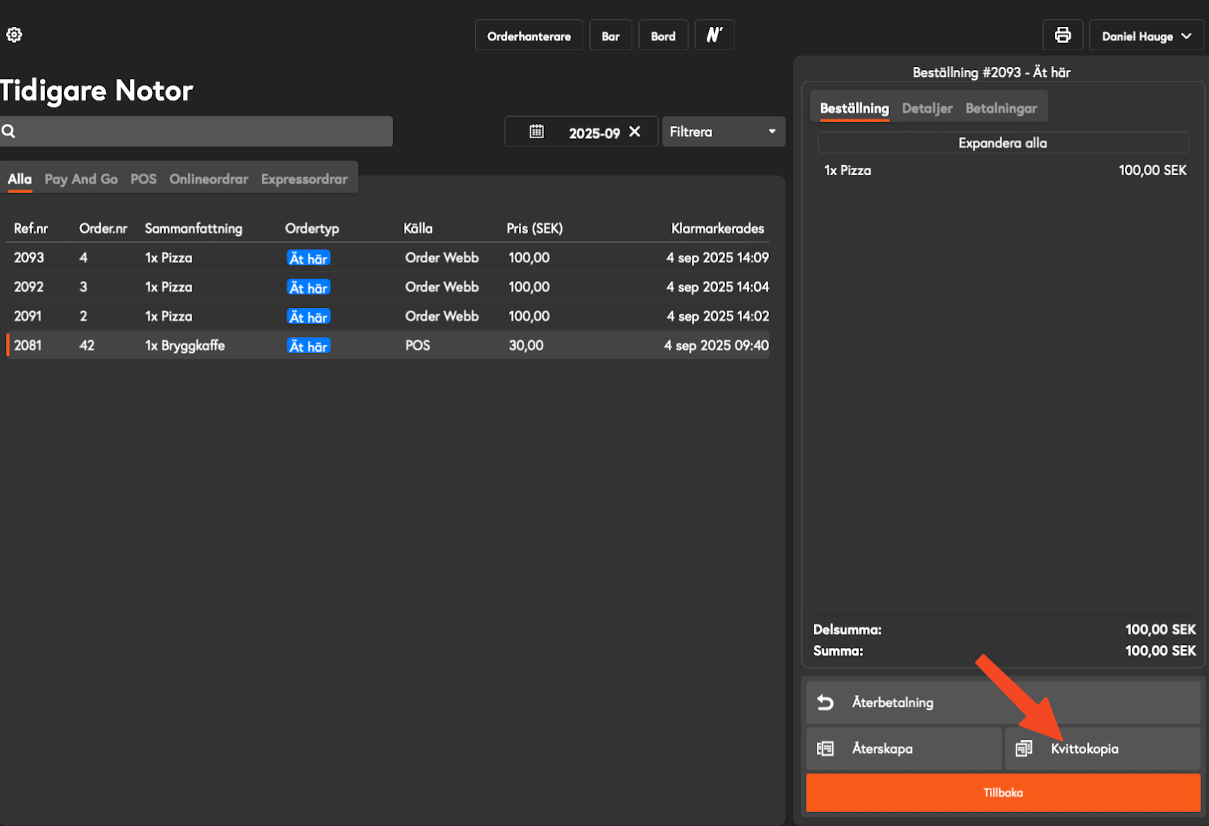
Select the desired method:
Click Print to send a copy directly to your connected receipt printer.
Click on Email receipt to send a digital copy to a specified email address.
FAQ
Can I print multiple copies of the same receipt from the cash register?
Can I print multiple copies of the same receipt from the cash register?
No, you can only print one copy of a receipt from the cash register. According to the Swedish Tax Agency's rules, a cash register may only print a maximum of one copy of a cash register receipt.
Can I email a copy of the receipt?
Can I email a copy of the receipt?
Yes, Ancon POS has a built-in function for emailing a copy of the receipt to the guest. See the guide
"Print or send copy of receipt from POS"
Can I retrieve a copy of the receipt from the back office?
Can I retrieve a copy of the receipt from the back office?
Yes, you can download a copy of the receipt as a PDF from the Ancon back office and email it to the guest. See the guide "Download copy of receipt as PDF"
Was this helpful?
Still need help? Share an idea