Resetting passwords in the back office
If you have forgotten your Backoffice password, here's how to reset it
Applies to
Backoffice in the Cloud (
cloud.ancon.io)Users who already have an account
Step by step
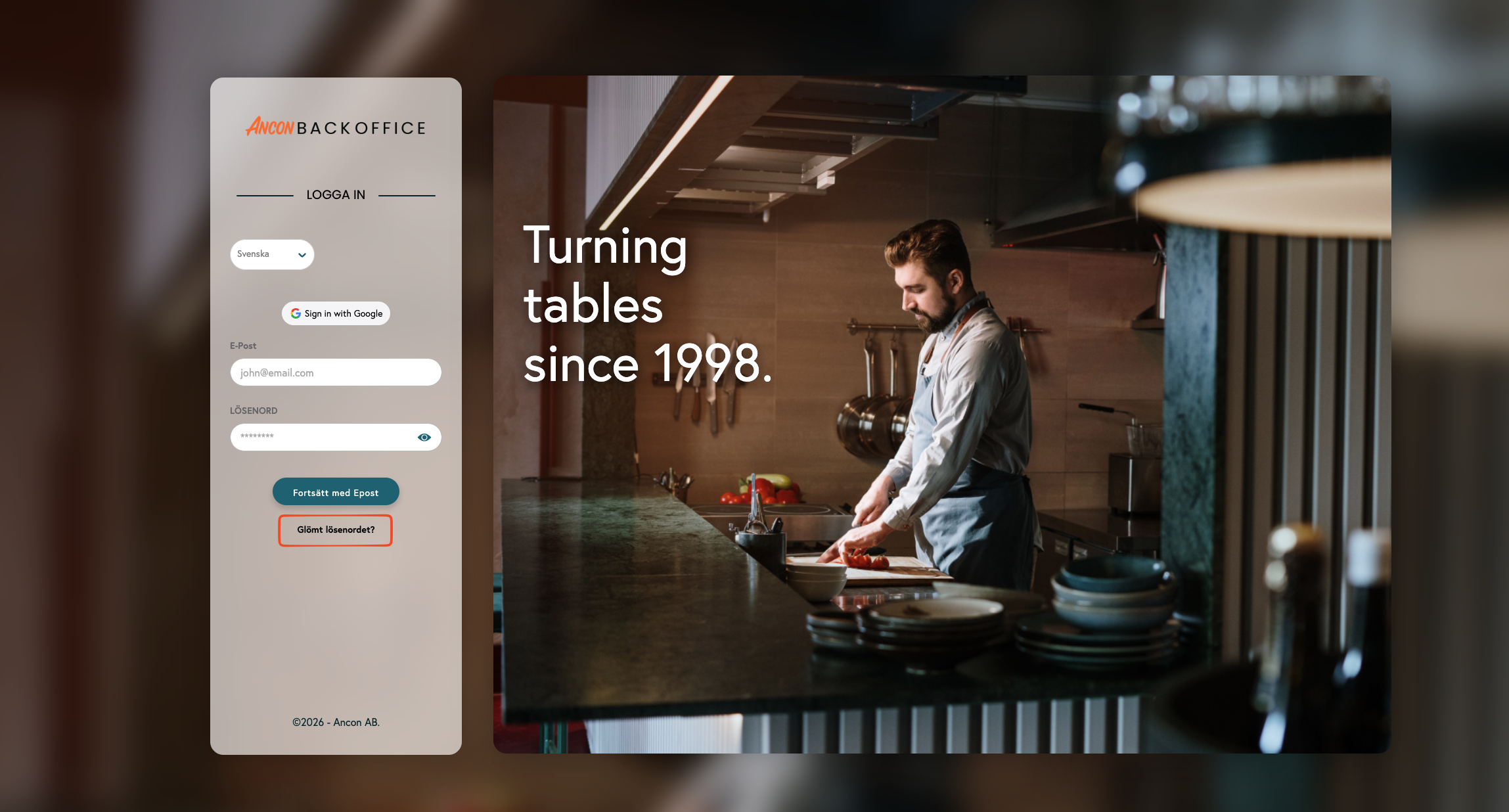
Go to the Backoffice login page:
cloud.ancon.io.Click on Forgot Password.
Enter the email address associated with your account.
Click Send.
Open the email with the reset link.
Choose a new password and confirm it.
Log in again with the new password.
If you don't receive the reset email
Check your spam folder
Make sure you entered the correct email address.
Try again after 2–3 minutes.
Make sure the address matches the one used to create the user in Backoffice.
Common errors and solutions
I’m not receiving any emails
I’m not receiving any emails
The account may have been created with a different email address. Ask an admin to check under Staff.
The link has stopped working
The link has stopped working
Send a new reset link and use the latest link in your inbox.
For admins (if the user is still locked out)
Go to Staff.
Search for the user.
Check the user's email
Ask the user to run the "Forgot Password" option again.
Was this helpful?
Still need help? Share an idea