Configure account number
In this guide we go through how to add account numbers to your payment methods and product groups in Ancon Backoffice. The purpose is to ensure that your sales data is posted correctly in your accounting system.
Purpose of Account Numbers
Account numbers are used to link your sales to the correct accounting account.
They serve as a bridge between sales in Ancon and accounting, making it easier to:
Allocate sales to different accounts (e.g., food, beverages, alcohol, VAT)
Manage different payment methods and fees separately
Filter and sort accounting data by account and outlet
How to add account numbers step by step
Go to Finance
Log in to the Backoffice and select the Finance menu in the side menu.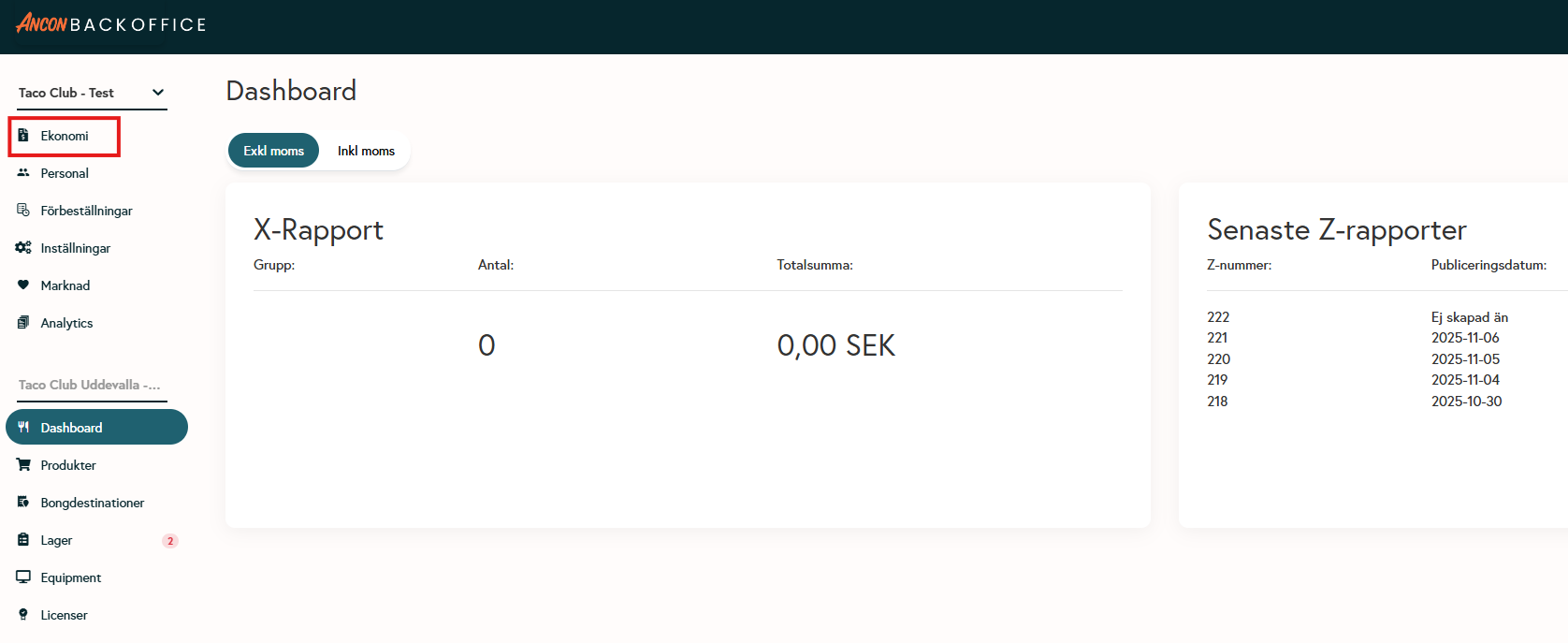
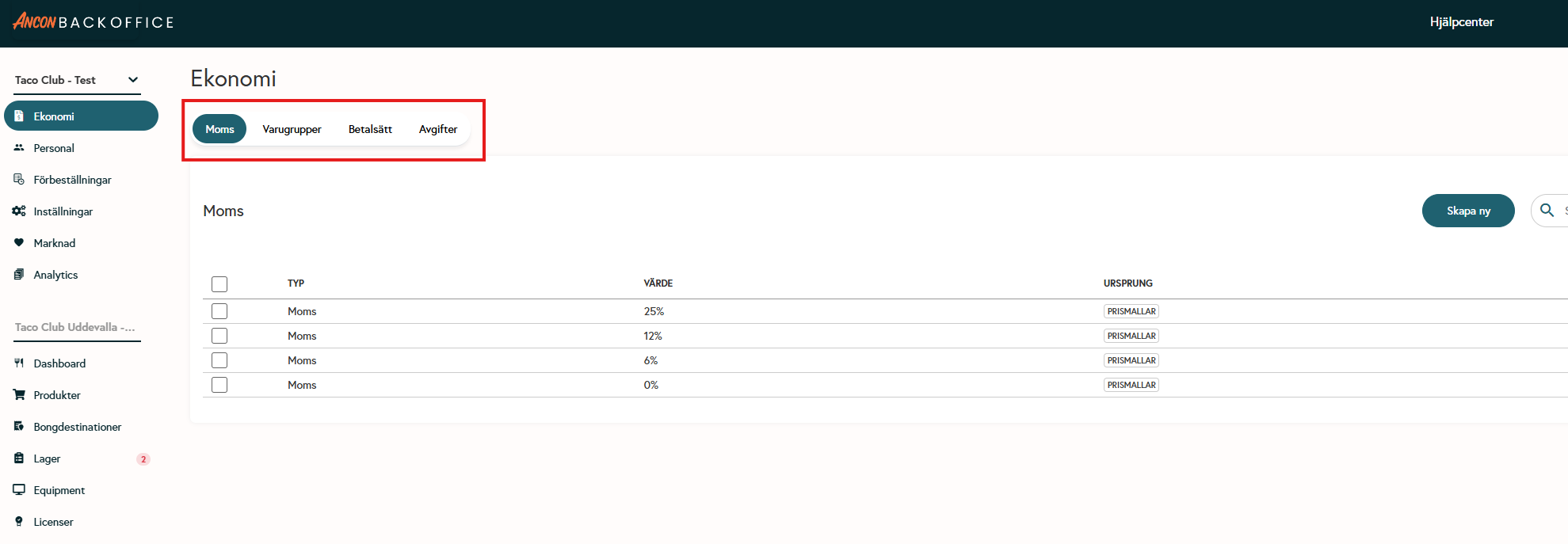
Select a category
Under Finance, you’ll find four tabs where you can add account numbers:VAT
Product Categories
Payment Methods
Fees (used only with online orders)
Enter account number
Enter the desired account number for each category according to your accounting setup.
If you have multiple outlets under the same tenant, different account numbers and cost centers can be selected.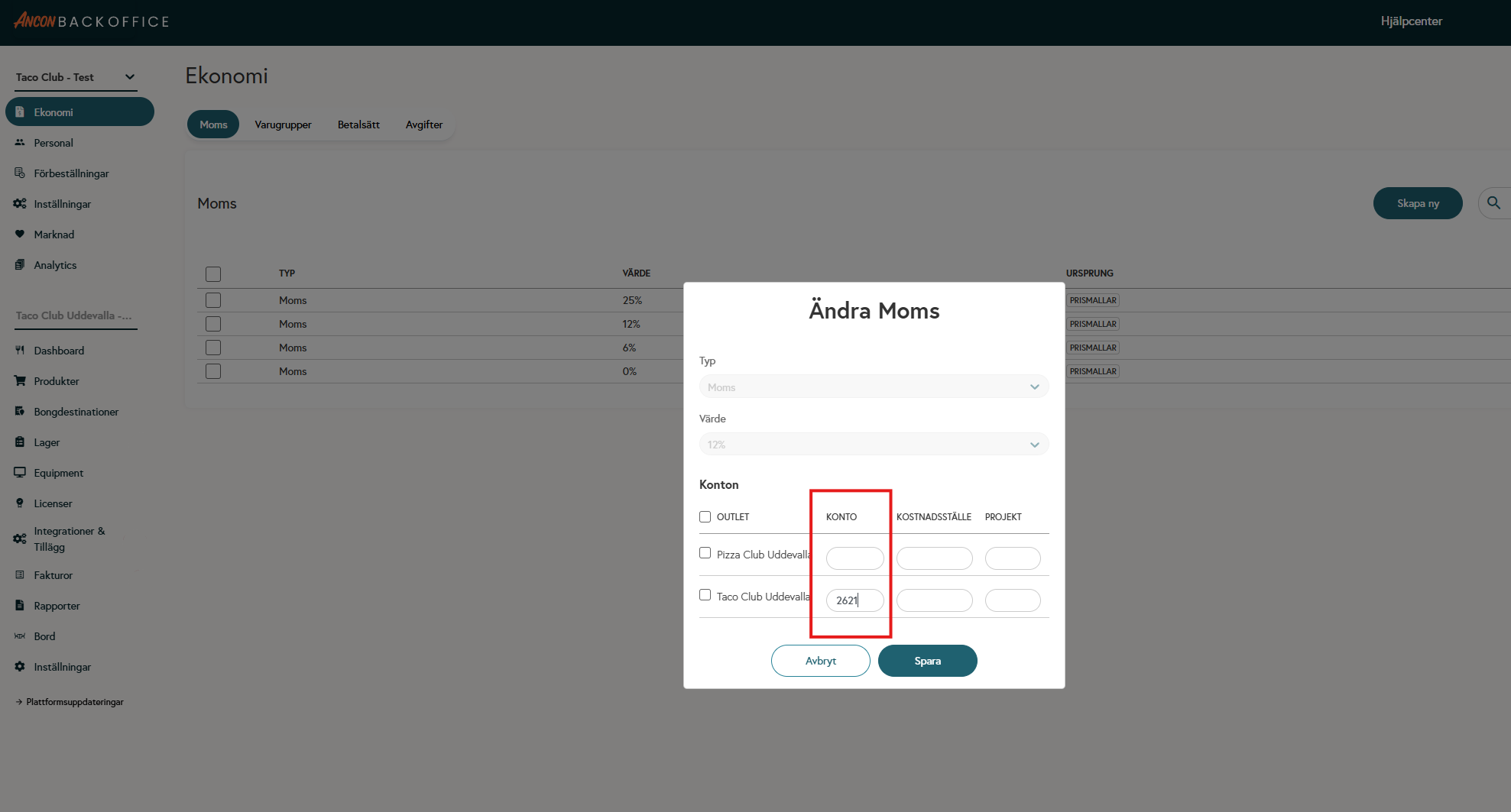
FAQ
Where do I enter the account number for a product?
Where do I enter the account number for a product?
When creating the product, you must select which product group the product belongs to, and it is the product group that determines which account number the product is linked to.
Why aren’t my reports being sent to Fortnox?
Why aren’t my reports being sent to Fortnox?
Check that the account numbers in Ancon match your chart of accounts in Fortnox—otherwise, the export may generate error messages and, as a result, not be sent.
Which account numbers should I use?
Which account numbers should I use?
You can find the account numbers to use for each VAT category/product group in your accounting software
Was this helpful?
Still need help? Share an idea