Adyen Payout Report
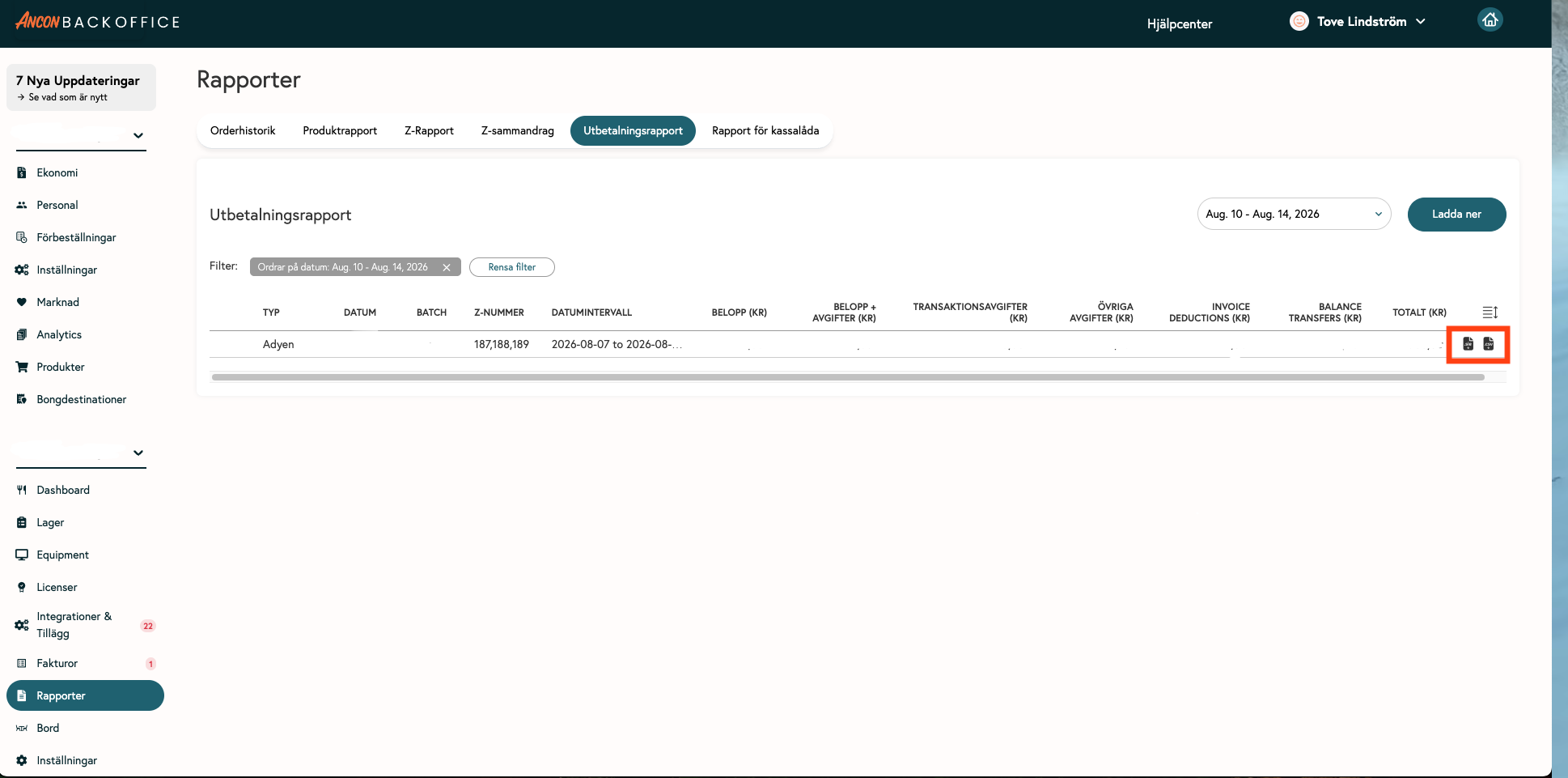
Pre-posted deposit reports. The reports can be downloaded as a CSV file, an SIE file, or transferred via direct integration with Fortnox. If the integration is not enabled, please contact your Customer Success Manager or our support department.
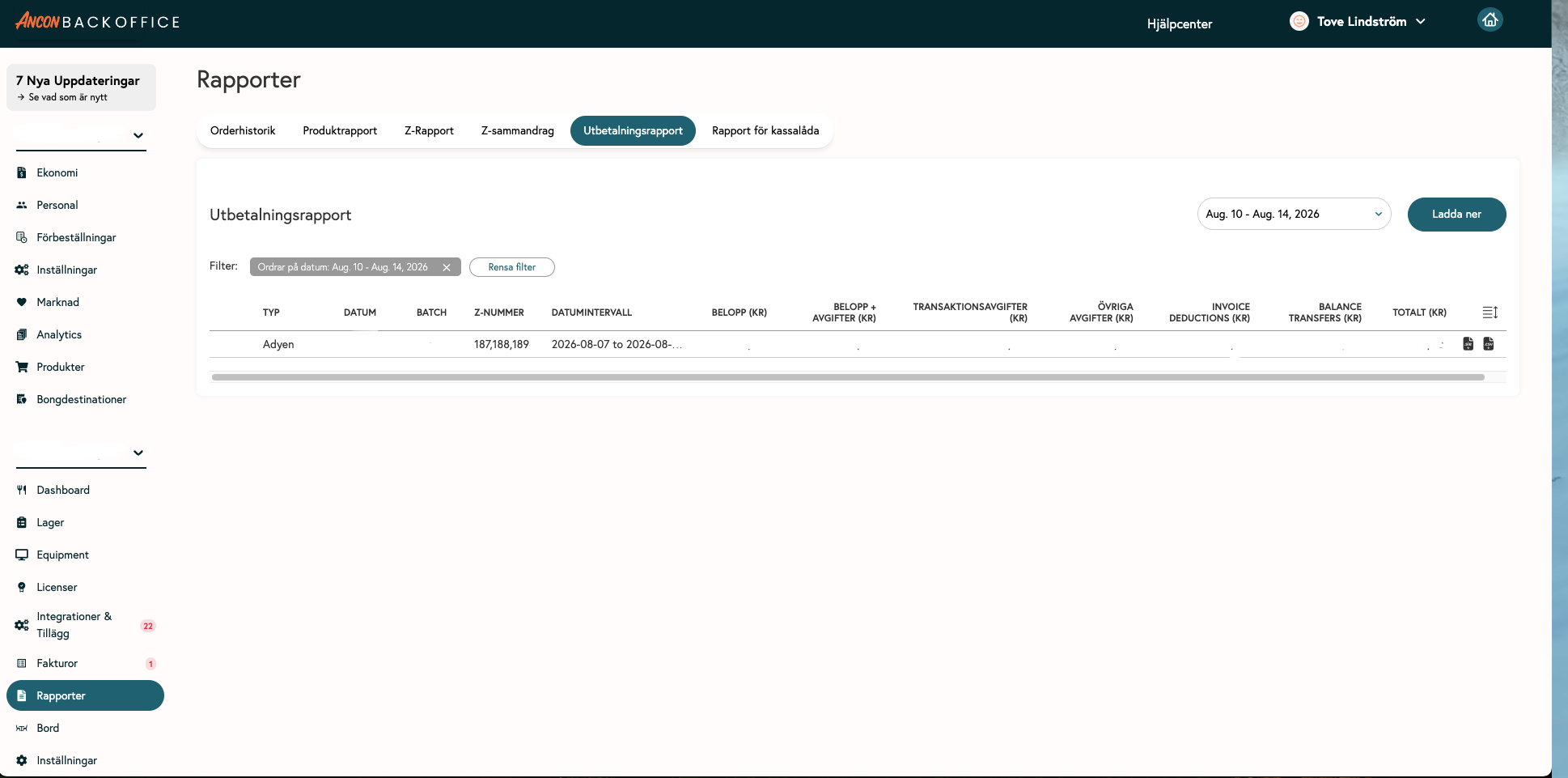
Date - Date of deposit into the bank
Batch - Adyen's reference number, often containing one day's sales
Z-number - The payment may contain one or more Z-reports
Date Range - Sales days
Amount - Amount paid out minus fees
Other fees - Deducted transaction fees
Invoice deductions - Adjustments to previously deducted fees
Balance transfers - Deposits or deductions after adjustments have been made to the invoice
Total - Sum of transactions before fees are deducted
Tip💡
To import the SIE file or use the Fortnox integration, you must have set up accounting accounts for the payment method Adyen, Payout, and Fee.
Link to Finance - Adyen
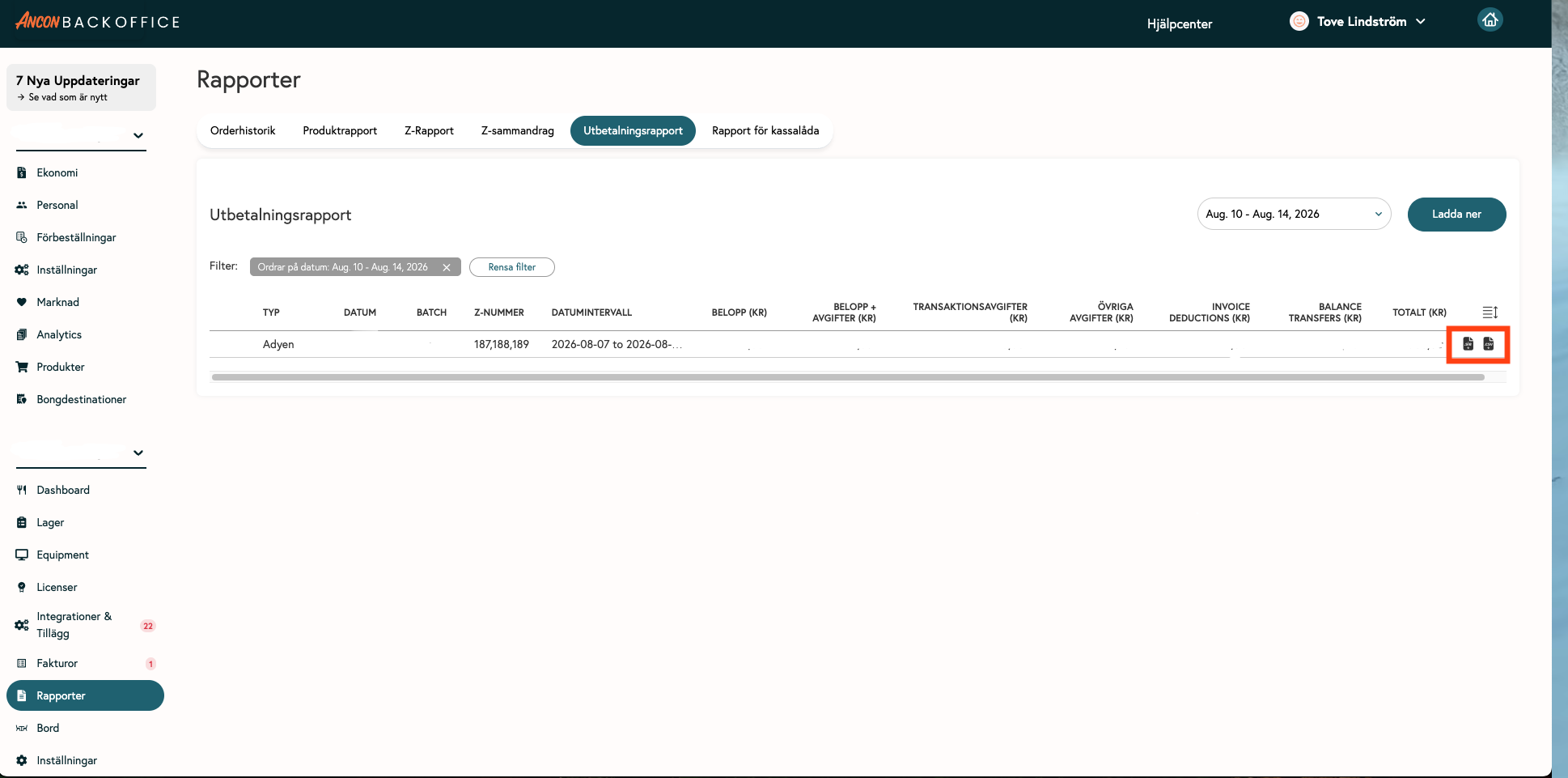
Download SIE file
Click the SIE file icon for the report you want to download
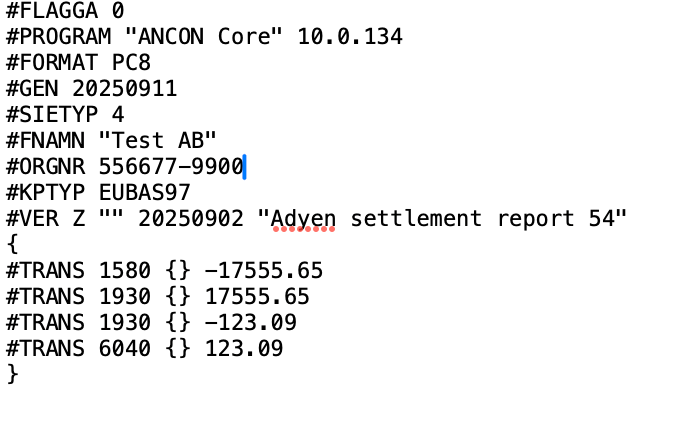
Example of an SIE file
Synchronize with the Fortnox integration
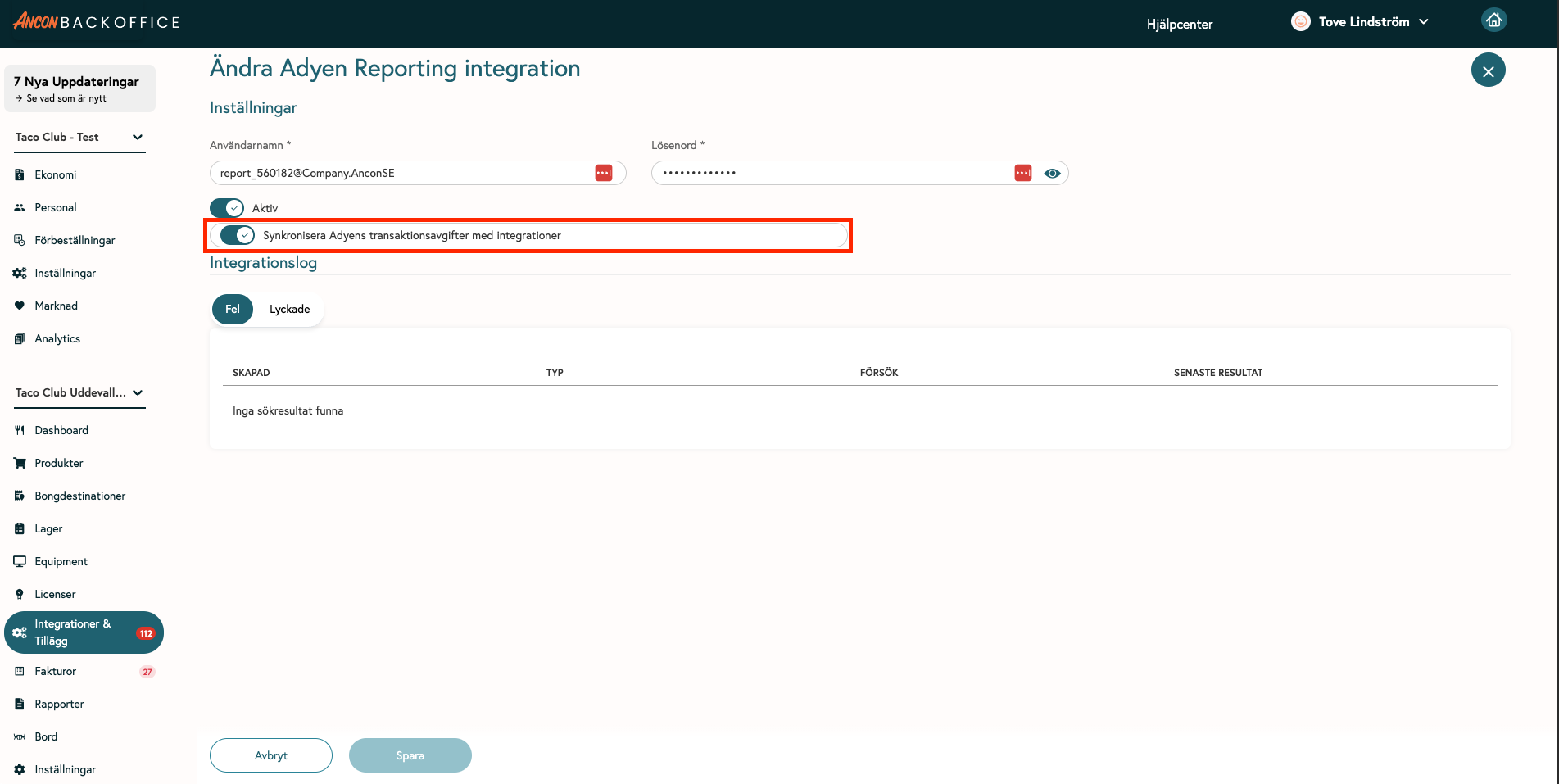
Go to Integrations & Add-ons
Click on AdyenSettlementReport
Enable “Synchronize Adyen transaction fees with integrations”
Done✅ - Upcoming payments will now be automatically transferred to Fortnox
Download CSV
Click the icon for the report you want to download; the CSV file contains a detailed settlement report
Was this helpful?
Still need help? Share an idea